
AI image
DreamUp
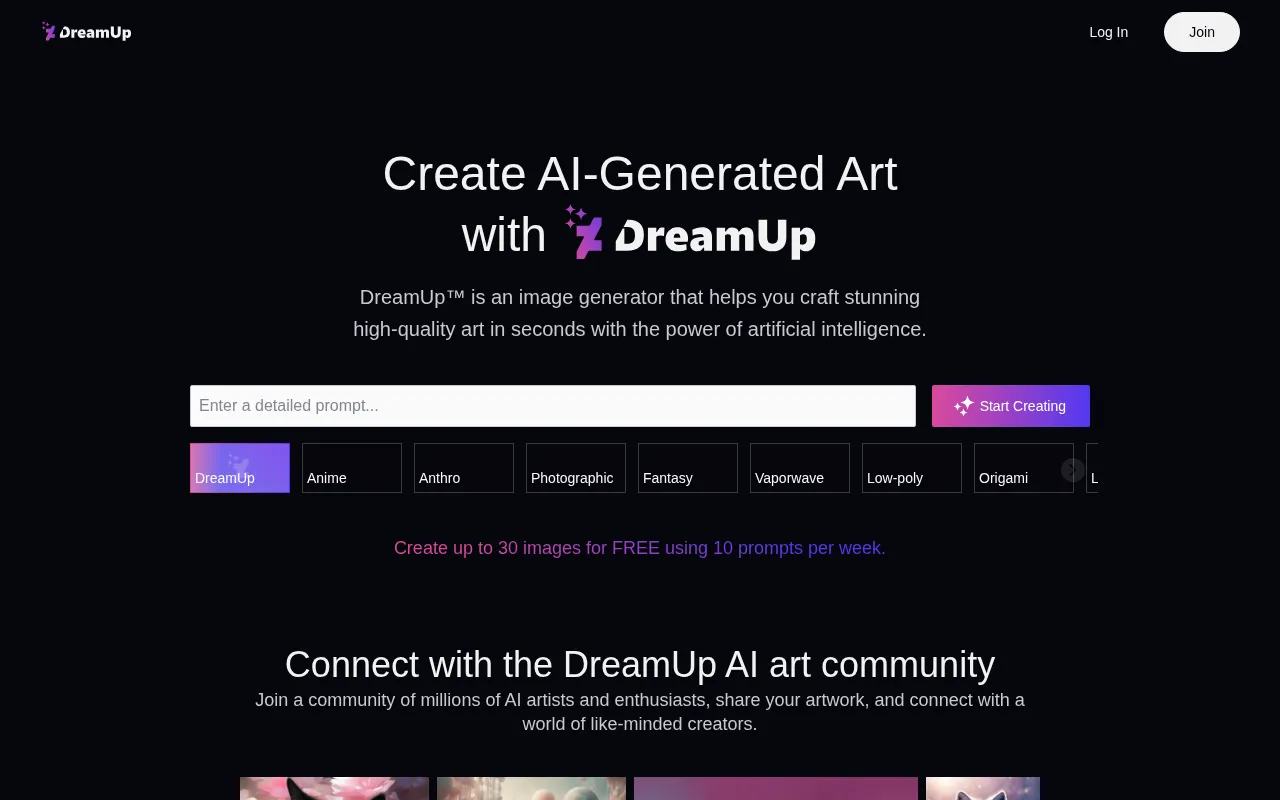
DreamUp is an AI image generation tool launched by the renowned art community DeviantArt, designed to help users craft high-quality digital artwork in seconds.
What is DreamUp?
DreamUp is an AI image generation tool launched by the renowned art community DeviantArt, designed to help users craft high-quality digital artwork in seconds.Built on advanced Stable Diffusion technology, it allows users to quickly transform creative ideas into visual images via text prompts, supporting a wide range of artistic styles from anime and photographic to fantasy and low-poly.
Unlike many other generative AI tools, DreamUp deeply integrates DeviantArt’s creator rights protection mechanisms.Users have full control over whether their artwork can be used to train external AI models and can choose to opt out of having AI images generated in their specific style.If your style inspires others’ generated works, you receive clear credit attribution.
More than just a generator, DreamUp serves as a hub connecting millions of AI artists and enthusiasts.Generated artworks are saved directly to your Studio and can be easily submitted as Deviations on DeviantArt, allowing you to share your imagination with the world or explore monetization opportunities.
Key features
- Creator ControlUsers decide whether to allow their art to be used for AI training and can opt out of having AI images generated in their style, ensuring artistic sovereignty.
- Style AttributioIf other users generate images inspired by your art style on DreamUp, you are clearly credited in the published works on DeviantArt.
- Diverse Visual SSupports a wide array of styles including Anime, Anthro, Photographic, Fantasy, Vaporwave, Low-poly, Origami, Line Art, Clay, Cinematic, 3D Model, and Pixel Art.
- Fine-Tuned ContrBeyond text prompts, users can select aspect ratios, adjust prompt strength, and set negative prompts to refine the AI-generated output.
- Seamless CommuniGenerated images are saved to your Studio and can be submitted as Deviations on DeviantArt with ease, facilitating sharing and potential sales.
- Free Trial AccesNew users can generate up to 30 images for free using 10 prompts per week, with Core Members enjoying higher monthly free allowances.
How to use it
- Sign up or log in to your DeviantArt account and navigate to the DreamUp page.
- Enter a detailed text prompt describing the subject, style, colors, and background.
- Select a visual style (e.g., Anime, Cinematic) and adjust settings like aspect ratio or negative prompts.
- Click “Create” to generate up to four AI images based on your input.
- Choose your favorite result, save it to your Studio, or submit it directly as a Deviation on DeviantArt.
Where it fits
- Concept Art CreaGame developers and illustrators can use DreamUp to rapidly generate character sketches and scene concepts, accelerating the early design phase.
- Community EngageAI art enthusiasts can showcase their generated works within the DeviantArt community, participate in daily challenges, and exchange prompting tips with fellow creators.
- Stylized Asset GDesigners needing specific styles like pixel art or low-poly elements can quickly create custom assets without worrying about complex copyright issues.
Pricing and free quota
Free users can generate up to 30 images using 10 prompts per week.Core Members receive up to 1,000 free prompts per month, depending on their plan.Additional prompts can be purchased with DeviantArt Points once free credits are exhausted.For detailed pricing, please refer to the official website.
Who it is for
- Digital Artists & Illustrators
- DeviantArt Community Members
- Game Concept Designers
- AI Art Enthusiasts
FAQ
Who owns the copyright to images generated by DreamUp?
In jurisdictions where the DreamUp Service is designated as the Copyright holder, DeviantArt passes the Copyright to you.As laws are evolving, consulting local counsel is advised for specific protection details.
Can I prevent others from generating AI images in my style?
Yes.You can apply to opt out, preventing other users from generating AI images in your specific style using DreamUp, thereby protecting your unique artistic identity.
What is the free usage limit?
Free users can use 10 prompts per week to generate up to 30 images.Prompts do not roll over; unused credits expire at the end of the calendar month or upon plan expiration.
What technology powers DreamUp?
DreamUp is based on third-party technology, specifically Stable Diffusion, integrated with DeviantArt’s community features and creator protection policies.