
AI audio
TextToSpeech
TextToSpeech.im is an AI-powered online text-to-speech tool designed to effortlessly convert written text into natural, high-quality audio.
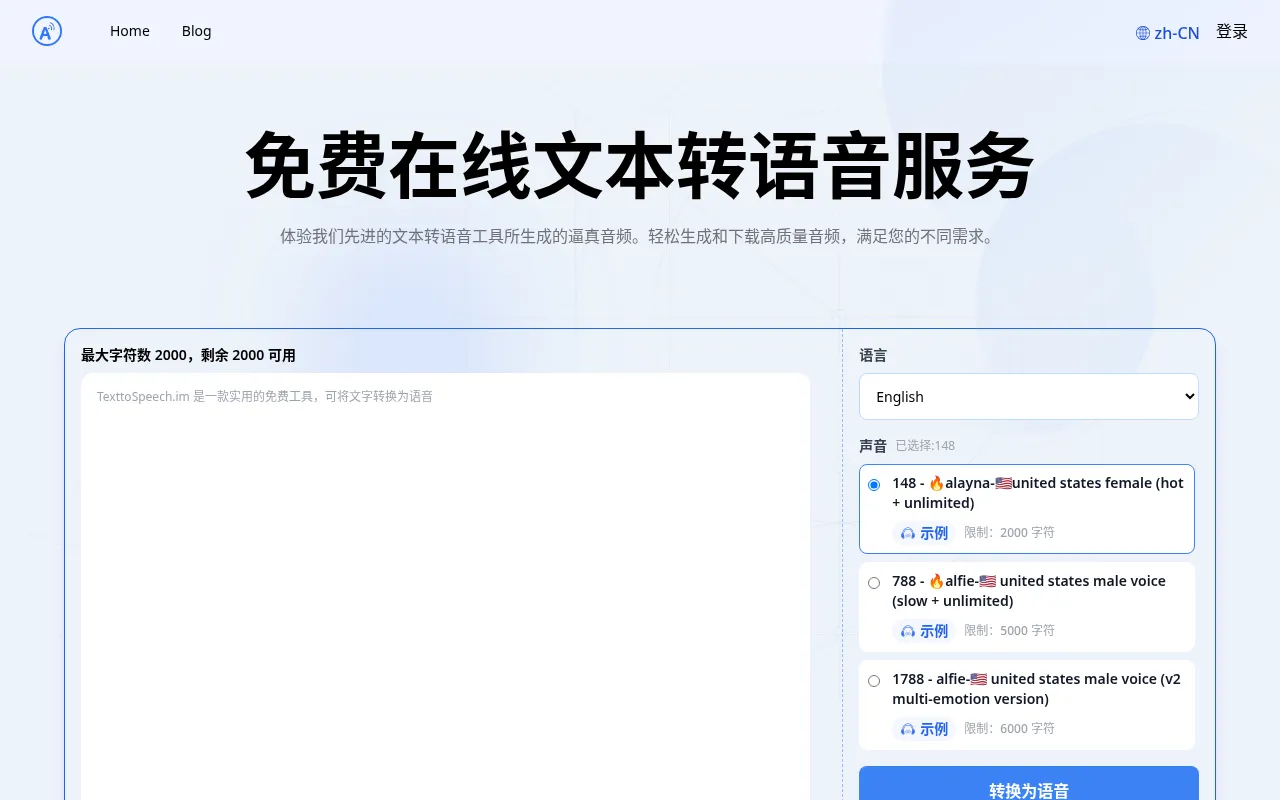
What is TextToSpeech?
TextToSpeech.im is an AI-powered online text-to-speech tool designed to effortlessly convert written text into natural, high-quality audio.The platform offers a completely free service, allowing users to experience realistic voice synthesis without registration and directly download the generated MP3 files, making it ideal for creators who need quick voiceover production.
The tool supports dozens of languages, including Chinese, English, Spanish, and Japanese, and provides over a hundred different voice options.From US male and female voices with 'v2 multi-emotion versions' to optimized voices supporting extra-long texts (up to 50,000 characters), users can select the most suitable tone and style for their specific needs, ensuring professional and engaging audio content.
Key features
- Extensive VoiceOffers 148+ voice choices, covering accents from the US, UK, Australia, Singapore, and including child voices.
- Multi-Emotion SySelect voices support v2 multi-emotion versions, generating more expressive and natural speech effects.
- Long Text SupporSpecific optimized voices support inputs up to 50,000 characters, meeting the needs for audiobooks or long documents.
- Global LanguageSupports dozens of major languages and dialects, including Chinese, English, German, French, Japanese, and Korean.
- Free High-SpeedGenerated audio can be previewed online and downloaded as MP3 files for free, facilitating offline use and remixing.
- Cross-Platform CFully compatible with iPhone, laptops, and desktop computers, accessible via browser anytime, anywhere.
How to use it
- Visit the TextToSpeech.im website and enter or paste the text you wish to convert into the input box.
- Select your target language (e.g., Chinese or English) from the dropdown menu.
- Browse the voice list and choose a suitable voice character based on gender, accent, or emotion version.
- Adjust speed and volume settings as needed, then click the 'Convert to Speech' button to generate audio.
- Preview the generated audio online, and if satisfied, click the download button to save the MP3 file to your device.
Where it fits
- Video VoiceoverQuickly generate narrations for YouTube or TikTok videos, saving the cost of hiring human voice actors.
- Audiobook CreatiUse the long-text support feature to batch convert novels or articles into audio for personal audiobooks.
- Educational SuppGenerate clear reading audio for visually impaired students or language learners to enhance learning accessibility.
Pricing and free quota
Pricing and any free quota follow the official site.
Who it is for
- Social Media Content Creators
- Independent Developers & Bloggers
- Educators & Students
- Audiobook Enthusiasts
FAQ
Can I download the generated voice files?
Yes, the tool allows you to directly download the generated audio as MP3 files for offline playback and use.
Which languages and voices are supported?
It supports multiple languages including Chinese, English, and Spanish, offering over 148 voice options with various styles and accents.
Is there a character limit?
Different voices have different character limits; standard voices usually allow 2000-6000 characters, while some optimized voices support up to 50,000 characters.