
AI video
VibePaper
VibePaper is an AI creative studio developed by Matrix Pixel (Beijing Matrix Pixel Technology Co., Ltd.).
What is VibePaper?
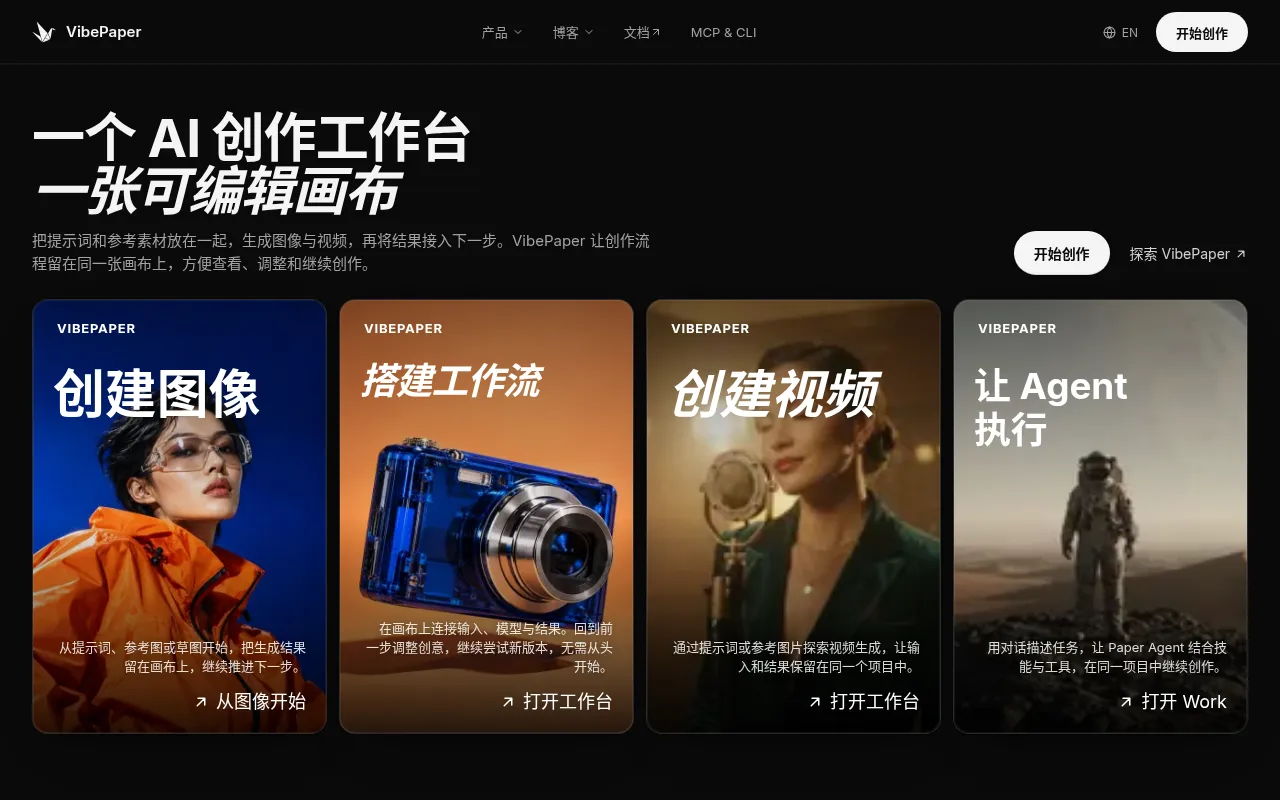
VibePaper is an AI creative studio developed by Matrix Pixel (Beijing Matrix Pixel Technology Co., Ltd.).It breaks away from traditional linear workflows by offering an infinite, editable Canvas where users can consolidate prompts, reference materials, generation steps, and final results within a single project.Whether creating images or videos, the entire creative path is preserved, allowing for easy backtracking, parameter adjustment, and comparison of outputs from different models.
The platform integrates leading image and video models such as Seedance, Kling, and Seedream, supporting seamless transitions from static frames to dynamic video.Beyond core generation, VibePaper features a Design module for layer composition and inpainting, and a Work module that uses the Paper Agent to automate subsequent tasks.For developers, it provides MCP and CLI interfaces to connect with conversational clients like Claude and Cursor or to operate via the terminal.
Key features
- Infinite CreativConnect prompts, reference images, and generation results as nodes.Drag to rearrange the flow while keeping the creative logic clear and traceable.
- Multi-Model InteIntegrates various image, video, voice, and reasoning models including Seedance 2.5, Kling 3.0 Omni, and Seedream 5.0 Pro, allowing flexible switching based needs.
- Design Image EdiOffers inpainting, outpainting, background removal, relighting, and layer composition tools to finalize poster designs and refine details directly on the canvas.
- Paper Agent AutoDescribe tasks in natural language within the Work view, letting the agent invoke skills and tools to automatically advance the next step in your project.
- Reusable SkillsAccess reusable AI workflows (Skills) and ready-made starting points (Templates) such as fashion shoots or product hero images to kickstart new projects quickly.
- MCP & CLI SupporConnect with major AI assistants via Model Context Protocol or use the command-line interface to read and manipulate canvas data for automated workflows.
How to use it
- Sign up and log in to the VibePaper website to access the creative studio.
- Add prompts, upload reference images or sketches to the canvas, and select a suitable image or video model (e.g., Seedance or Kling).
- Click generate to keep results on canvas nodes; adjust input parameters or switch models to regenerate if needed.
- Use the Design module to inpaint, remove backgrounds, or add text layout to your generated images.
- For video creation, use static frames as start/end references to generate dynamic shots and preview the outcome.
- Describe subsequent tasks via Paper Agent, or save your workflow as a Skill/Template for future reuse.
Where it fits
- AI Short Film PrChain storyboard references, scene images, and video generation models on the canvas to create coherent AI film projects.
- E-commerce MarkeUse product hero templates and Design layout tools to quickly generate high-quality posters, ads, and brand visuals.
- Creative ConceptDesigners compare outputs from different models using the same prompt to rapidly iterate visual styles and determine the best direction.
Pricing and free quota
Pricing and any free quota follow the official site.
Who it is for
- Video Creators & Directors
- Graphic Designers & Art Directors
- Marketing Content Teams
- AI Application Developers
FAQ
Do I need to code to use VibePaper?
No.Canvas operations, image editing, and Agent interactions are all browser-based.MCP or CLI is only optional for automation integration.
What is the difference between Canvas, Design, and Work?
Canvas connects creative steps and nodes; Design focuses on image editing and layout; Work executes tasks via Paper Agent.All three views switch seamlessly within the same project.
Which AI models are supported?
The platform integrates various models, including Seedream 5.0 Pro for images, Seedance 2.5 and Kling 3.0 Omni for video, and voice models from Doubao and MiniMax.