
AI video
Makefun
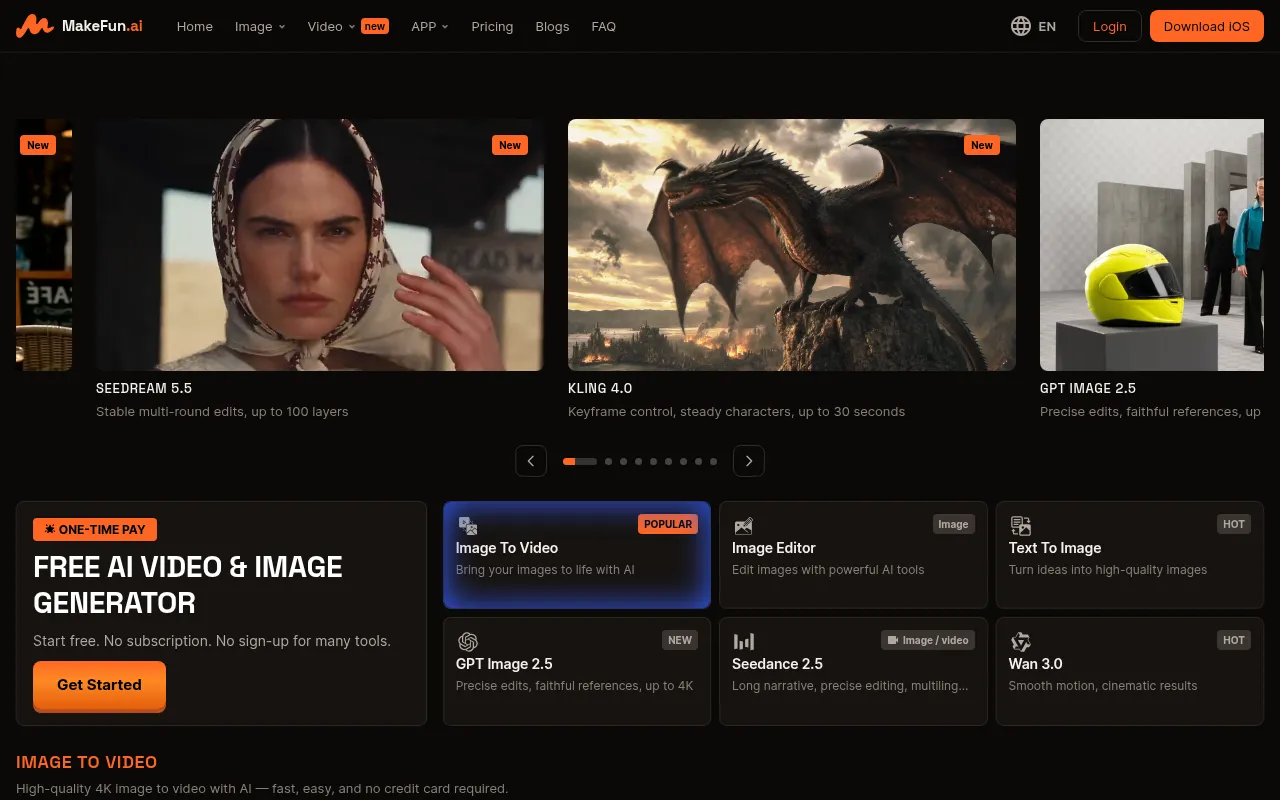
Makefun is an online AI content generation platform designed for creators and developers, offering free tools that require no sign-up for many features.
What is Makefun?
Makefun is an online AI content generation platform designed for creators and developers, offering free tools that require no sign-up for many features.Users can create high-quality videos and images directly from text or photos, ranging from simple image edits to complex long-form narrative videos.
The platform integrates a wide array of industry-leading AI models, including ByteDance’s Seedream 5.5 and Seedance 2.5, Kuaishou’s Kling 4.0, OpenAI’s GPT Image 2.5, and Sora 2.Whether you need precise control in image editing or cinematic videos with native audio, Makefun provides diverse options.
Beyond web-based tools for individuals, Makefun offers API and Model Context Protocol (MCP) server support for developers.This allows the integration of Talking Avatars, voice cloning, and video generation capabilities into applications, catering to enterprise-level customization needs.
Key features
- No Sign-Up RequiMany core tools are accessible without login or subscription, lowering the barrier to entry for quick trials and casual use.
- Top-Tier AI ModeIntegrates the latest models including Kling 4.0, Seedance 2.5, Wan 3.0, Sora 2, and GPT Image 2.5 to ensure state-of-the-art generation quality.
- Advanced Image ESupports Seedream 5.5 for stable multi-round edits (up to 100 layers) and GPT Image 2.5 for precise reference fidelity, up to 4K resolution.
- Cinematic VideoLeverage Kling 4.0’s keyframe control and 30-second generation limits, along with Seedance 2.5’s multilingual long-narrative capabilities for professional videos.
- Smart CharacterOffers one-click face swap, head swap, and cloth swap features, maintaining identity consistency and natural motion in videos.
- Developer-FriendProvides MCP-ready APIs for programmatic access to custom avatars, voice cloning, and video generation, suitable for enterprise integration.
How to use it
- Visit the Makefun website and browse the list of free tools available without signing up.
- Select the desired function module, such as 'Image to Video', 'Text to Image', or 'Face Swap'.
- Upload reference images or enter text prompts, and choose the appropriate AI engine from the model list (e.g., Kling 4.0 or Seedream 5.5).
- Adjust specific parameters like keyframe control, duration, or resolution, then click the generate button.
- Preview the generated result and download the high-quality video or image file directly if satisfied.
- For batch processing or app integration, consult the developer documentation to obtain API keys and MCP configuration guides.
Where it fits
- Social Media ConQuickly generate short videos with realistic motion and native audio for engagement on TikTok, Instagram, or YouTube Shorts.
- E-commerce ProduUse Product Avatar to have virtual models hold items, or use Cloth Swap to quickly change outfit displays, reducing photography costs.
- Personalized MarCreate multilingual marketing explainer videos with perfect lip-sync using Voice Clone and Talking Video features.
- Creative EntertaUse Face Swap and Head Swap features to create funny memes or interactive videos with friends for social entertainment.
Pricing and free quota
Offers a forever-free tier for personal use; paid plans include one-time purchase options for Pro ($14.9) and Ultra ($59.9), as well as pay-as-you-go subscriptions and enterprise quotes.Pricing details are subject to the official website.
Who it is for
- Social Media Content Creators
- Independent Developers & Startups
- E-commerce Marketers
- Video Editing Enthusiasts
FAQ
Is Makefun completely free?
Makefun offers free AI video tools for personal creative workflows, with many features requiring no sign-up.However, paid credits or plans are available for higher-volume generation, API usage, or team workflows.
Which advanced AI models are supported?
The platform integrates various mainstream and multimodal AI models, including Kling 4.0, Seedance 2.5, Wan 3.0, Sora 2, GPT Image 2.5, and Seedream 5.5.
Can I integrate Makefun into my own application?
Yes.Makefun provides developer-friendly APIs and MCP servers, supporting the integration of talking avatars, voice cloning, and video generation capabilities into your applications.
Do generated videos have watermarks?
The official excerpts do not explicitly state the watermark policy for all free tools, though some download features are described as ad-free.It is recommended to check interface prompts or official details when using specific tools.