
AI agents
Tabbit
Tabbit is a next-generation AI-native browser developed by Beijing Kuxun Interactive Technology Co., Ltd.
What is Tabbit?
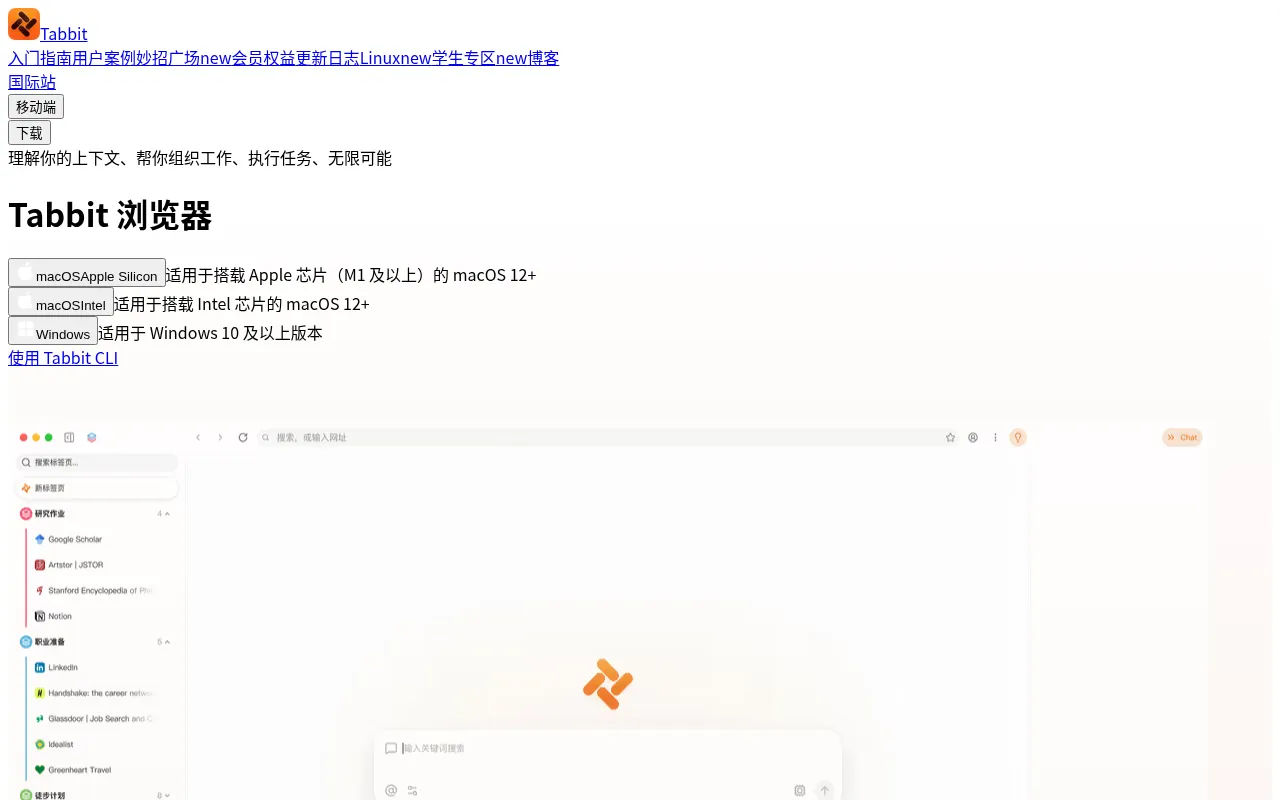
Tabbit is a next-generation AI-native browser developed by Beijing Kuxun Interactive Technology Co., Ltd.It goes beyond traditional browsing by serving as an intelligent workspace that understands context, automates repetitive tasks, and organizes information.With its built-in AI Agent, users can instantly reference web pages, screenshots, files, or bookmarks as conversation context, enabling precise assistance for content creation, research, and data analysis.
Available on macOS, Windows, iOS, Android, and HarmonyOS, Tabbit allows seamless synchronization across devices.It supports free switching between leading AI models such as MiniMax M3, DeepSeek V4.0, Kimi K2.6/K3, GLM 5.2, Doubao-Seed-2.0, Qwen3.5-Plus/Qwen3.7-Max, and LongCat.Unique features like 'Miaozhao' (smart tips) let users save prompts for one-click execution, while intelligent tab grouping and vertical sidebar organization significantly enhance browsing and workflow efficiency.
Key features
- Free Model SwitcSupports mainstream AI models including MiniMax, DeepSeek, Kimi, GLM, Doubao, Qwen, and LongCat.Users can switch models based on task needs, with Pro tier offering access to top-tier models like Kimi-K3.
- AI Agent AutomatAgents autonomously handle repetitive tasks such as opening pages, filling forms, and batch-replying to customer messages.Supports scheduled tasks (up to 10 in Pro tier) for workflow automation.
- Full-Element ConSay goodbye to copy-pasting.Instantly reference current web pages, screenshots, local files, bookmarks, or selected text via one-click @, allowing AI to provide precise answers based on complete context.
- Smart Tabs & GroAutomatically organizes chaotic tabs using a vertical sidebar and intelligent grouping features, helping users maintain a clean view and focus on core content.
- Miaozhao & CustoAccess a vast library of preset prompts ('Miaozhao') or save custom instructions for one-click execution to quickly generate scripts, translate content, or extract information.
- Full-Text BookmaSupports full-text bookmarking of web pages to build a local knowledge base, enabling deep retrieval and information association across documents and pages via RAG technology.
How to use it
- Download and install Tabbit Browser from the official website, available for macOS, Windows, and mobile systems.
- Register and log in to your account.Set Tabbit as your default browser to unlock Standard tier benefits.
- While browsing, use the right-click menu or shortcuts to capture screenshots, select text, or click the @ button to reference the current page.
- In the sidebar chat window, select your desired AI model (e.g., Kimi or DeepSeek) and enter your prompt.
- Use the 'Miaozhao' feature to save frequent prompts, or set up automated tasks via Agent to handle repetitive work.
- Organize tabs using smart grouping and build a personal knowledge base with full-text bookmarking for future retrieval.
Where it fits
- Deep Research &Researchers can open dozens of tabs simultaneously, using AI to quickly extract core points from each document, auto-archive them, and generate review drafts, significantly reducing reading and organization time.
- E-commerce CustoCustomer service agents can use Agents to understand operational guidelines, automatically extract intent from product inquiries, generate standardized responses, and submit them in bulk for a complete reply loop.
- Resource CollectDesigners or developers can use smart scraping to batch save images and text materials from web pages, and quickly find historical inspiration through full-text search to prevent resource loss.
Pricing and free quota
Tabbit offers Experience, Standard, and Pro tiers.The Experience tier is free upon registration; the Standard tier is free when set as the default browser; the Pro tier costs CNY 39.60 per month, providing higher model quotas and scheduled task benefits.Please refer to the official membership page for detailed entitlements.
Who it is for
- Researchers and students handling large volumes of literature
- Content creators and bloggers seeking efficient workflows
- E-commerce operators needing automation for repetitive tasks
- Power users prioritizing privacy and data sovereignty
FAQ
Is Tabbit free?
Tabbit offers a free Experience tier and a free Standard tier (when set as the default browser).The Pro tier requires a paid subscription for advanced model access and higher task quotas.
Which operating systems are supported?
Tabbit supports macOS (Intel/Apple Silicon), Windows 10+, iOS, Android, and HarmonyOS, with multi-device data synchronization.
How is my privacy and data security protected?
Tabbit commits that user data belongs to the user, offering local processing options and strict privacy policies to ensure complete freedom in choosing what information to share.
Which AI models can I use in Tabbit?
It supports MiniMax M3, DeepSeek V4.0, Kimi K2.6/K3, GLM 5.2, Doubao-Seed-2.0, Qwen3.5-Plus/Qwen3.7-Max, and LongCat.Pro users also get access to top-tier models like Kimi-K3.1-pro.