
AI audio
Voicemaker
All-in-one TTS and audio suite with 2,000+ AI voices across 130 languages
What is Voicemaker?
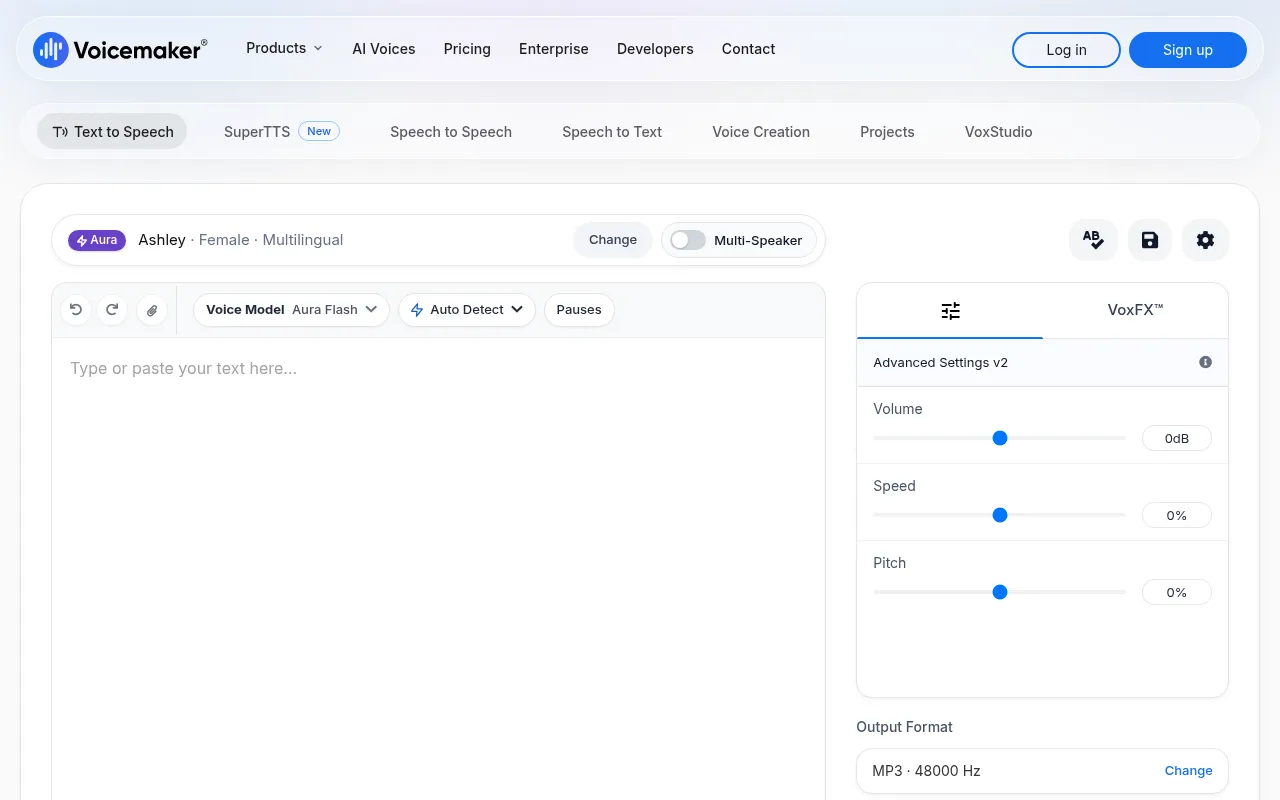
Voicemaker is a comprehensive AI audio platform featuring ultra-realistic Text-to-Speech (TTS) with over 2,000 AI voices in 130 languages.It converts scripts into natural-sounding speech, allowing downloads in MP3 or WAV formats, making it ideal for YouTube Shorts, video voiceovers, presentations, and more.
Beyond core TTS, Voicemaker includes SuperTTS for ads and stories, VoxStudio for stem splitting and noise removal, and advanced Voice Creation tools.Users can clone their own voice from short samples or design new voices from text descriptions.A developer API is also available to integrate these high-quality voices into custom applications.
Key features
- Massive Voice LiAccess 2,000+ AI voices across 130 languages with diverse accents, ages, and genders.
- Advanced Voice CFine-tune pauses, pitch, and speed using interactive sliders and custom pause settings for punctuation.
- Voice Cloning &Clone real voices from short audio samples or design unique AI voices from text descriptions.
- VoxStudio AudioBuilt-in stem splitter, voice isolator, and background noise remover directly in your browser.
- Multi-Format OutExport audio in MP3, WAV, OGG, AAC, and more, with optional SRT subtitle file generation.
- Pronunciation EdSet custom spellings or use IPA phonetics to ensure accurate pronunciation of names and tricky words.
How to use it
- Sign up and log in to your Voicemaker account to access full features.
- Enter your text script into the Text-to-Speech interface.
- Select your preferred language, accent, and AI model (e.g., ProPlus, Aura) from the library.
- Adjust speed and pitch using sliders, or correct specific word pronunciations in the editor.
- Preview the audio, then download the final file in MP3 or WAV format.
Where it fits
- Video Content CrGenerate high-quality narrations for YouTube Shorts, tutorials, or presentations quickly.
- Audiobooks & StoUse SuperTTS to create engaging audiobooks or ads with emotional depth and character variation.
- Personal Voice CCreators can clone their own voice to batch-generate podcast segments or maintain brand consistency.
Pricing and free quota
Pricing and any free quota follow the official site.
Who it is for
- Video Creators
- Podcasters
- Educational Institutions
- App Developers
FAQ
Which languages does Voicemaker support?
It supports 130 languages worldwide, including English, Chinese, Spanish, French, and many regional accents.
How do I clone my voice?
Upload a clear 20-second to 2-minute audio sample without background music to train your custom AI voice.
Can I export subtitle files?
Yes, you can download SRT or TXT subtitle files alongside your generated audio.