
AI design
Open Design
Open Design is an open-source design agent workspace positioned as the best alternative to Claude Design.
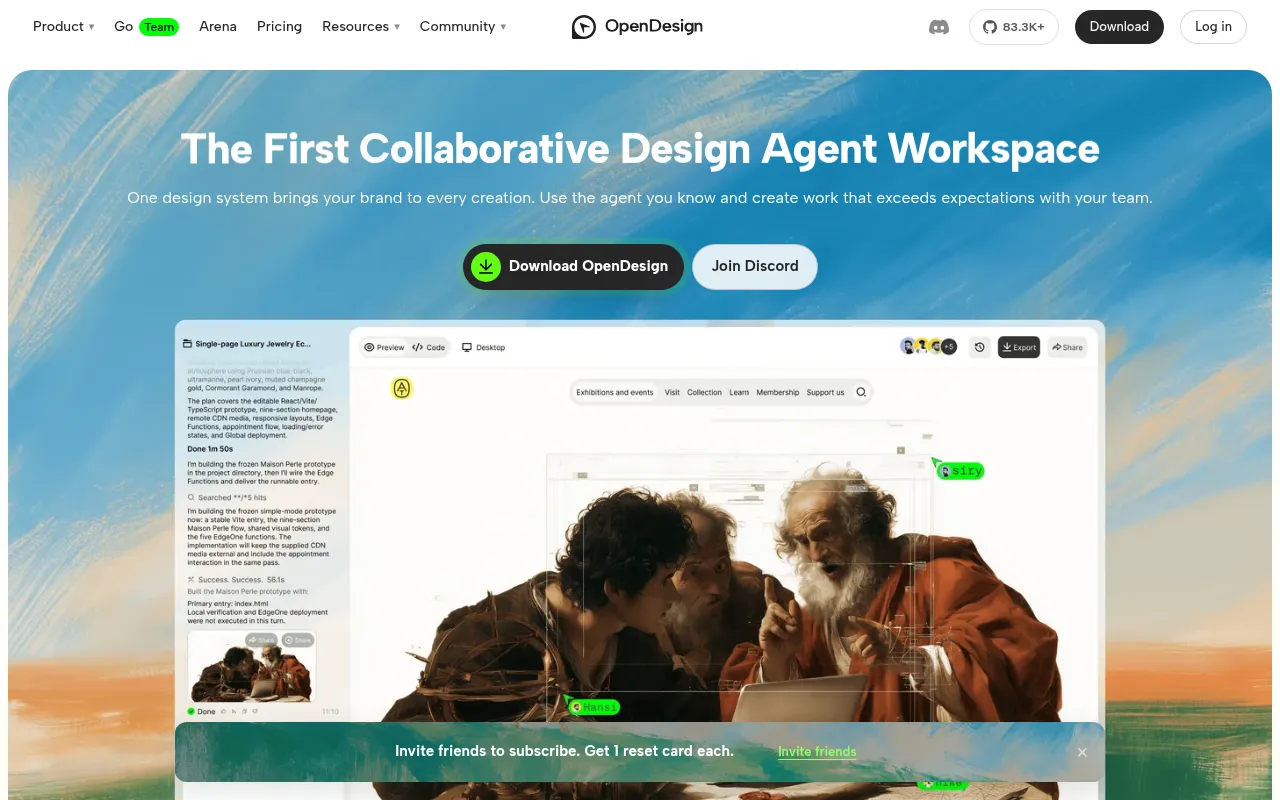
What is Open Design?
Open Design is an open-source design agent workspace positioned as the best alternative to Claude Design.It enables users to connect existing coding agents (such as Claude Code, Codex, Cursor, etc.) to generate working HTML prototypes, landing pages, dashboards, and slides directly from text prompts.
The tool's core strength lies in its flexibility and collaboration features.Users can choose to use locally installed coding agents, bring their own API keys (BYOK), or use hosted models via OpenDesign Cloud.Generated projects are saved locally as HTML and CSS files, supporting team comments and iterations before exporting as static web pages or PDFs.
As an Apache-2.0 licensed open-source project, Open Design boasts a library of over 150 open-source design systems and an active community plugin ecosystem.Whether for independent designers or development teams, it streamlines the 'prompt-to-prototype' workflow, allowing for rapid idea validation and delivery of brand-consistent visual assets.
Key features
- Multi-Agent CompSupports connecting to 21 major coding agents including Claude Code, Codex, Cursor, GitHub Copilot, and DeepSeek, or directly calling model APIs via Bring Your Own Key (BYOK).
- Design System DrIncludes 150+ open-source design systems and allows importing custom systems from websites, GitHub repos, or Figma files to ensure consistency in colors, typography, and components.
- Live Preview & EEdit elements directly after generation—move items, adjust text, colors, and spacing—without needing to regenerate the entire prototype.
- Team CollaboratiPublish prototypes as shareable links where teammates can leave comments directly on design elements, aggregating feedback for the agent to revise in one go.
- Skills EcosystemExtend functionality through the Skills plugin system covering research, content generation, design, and delivery, with support for community-created plugins.
- Local Data ContrProject files are stored locally as HTML/CSS in your computer's folders, giving you full control over data privacy.Supports export to PNG, PDF, and editable PowerPoint.
How to use it
- Download and install the Open Design desktop app (available for macOS and Windows).
- Choose your runtime mode: connect a local coding agent, configure your own API key (BYOK), or sign in to OpenDesign Cloud.
- Select a design system and describe the page or app interface you want to create in natural language.
- Once the agent generates the HTML prototype, preview it and refine by editing elements directly or chatting with the agent.
- Share the prototype link with teammates to collect comments, or submit feedback to the agent for iterative revisions.
- Export as HTML, PDF, or PNG when satisfied, or hand off the project files to engineering for further development.
Where it fits
- Rapid PrototypinProduct managers or designers quickly generate landing page or app UI prototypes from text descriptions for early concept validation.
- Marketing AssetMarketing teams use preset design systems to rapidly create campaign landing pages, presentation slides, and brand promotional graphics.
- Frontend DevelopDevelopers use Open Design to generate base HTML/CSS structures, building complex logic on top to improve initial development efficiency.
Pricing and free quota
The desktop app is free and open source.Using local agents or your own API keys incurs no extra fees from OpenDesign.OpenDesign Cloud hosted service offers Plus, Pro, and Max paid plans with monthly model credits; Team plans are priced per seat.Specific pricing follows the official site.
Who it is for
- UI/UX Designers
- Frontend Developers
- Product Managers
- Indie Developers
- Marketing Creative Teams
FAQ
Is Open Design free?
The desktop app itself is free and open source (Apache-2.0).When using local coding agents or your own API keys, Open Design charges no extra fees, though you pay your model provider.OpenDesign Cloud hosted service requires a paid subscription plan.
Do I need to know how to code?
No.You just describe your requirements and select a design system; the agent generates the code.You can edit elements directly via the interface or modify them through conversation without manual coding.
Which operating systems are supported?
It supports macOS 11 Big Sur and later (Apple Silicon and Intel chips), and Windows 10 or 11 (x64).Linux users can run it from source.
Can I export to Figma?
Direct export to Figma is not currently supported.However, you can export standalone HTML, PDF, and PNG files, and slides can be exported as editable PowerPoint files.