
AI design
Vectorizer.AI
Reconstruct pixels into real geometry for print-ready, cut-ready clean vectors
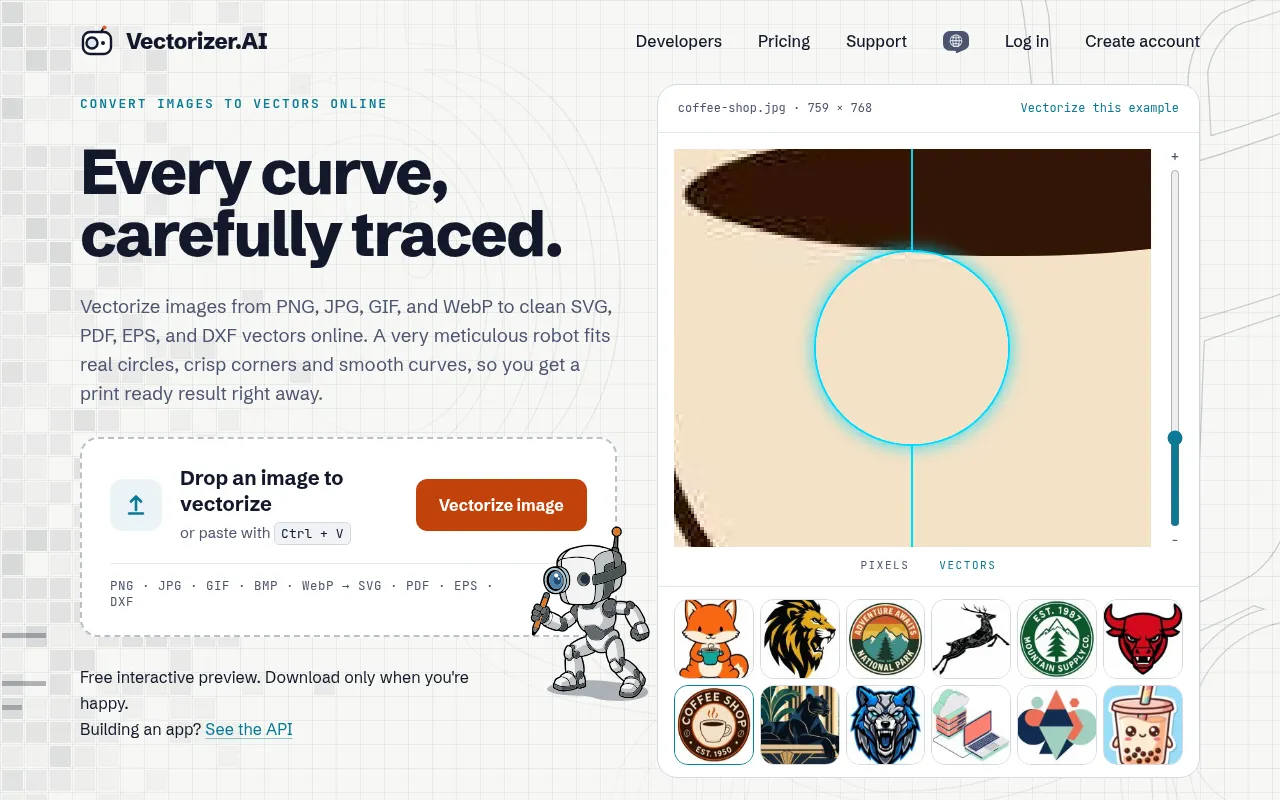
What is Vectorizer.AI?
Vectorizer.AI is an online image-to-vector converter powered by deep learning, transforming raster formats like PNG, JPG, GIF, and WebP into clean, editable SVG, PDF, EPS, and DXF vector files.Unlike ordinary auto-tracers that merely outline pixel blocks, Vectorizer.AI rebuilds the shapes your image was drawn with, fitting real circles, ellipses, rounded rectangles, and stars while preserving crisp corners and smooth curves.
Built by a team with 15 years of experience, the tool combines proprietary deep learning networks trained from scratch with classical computational geometry algorithms.Its unique 'Vector Graph' framework ensures neighboring shapes share boundaries exactly, preventing color slivers or overlaps.Users can preview full results for free in the browser, adjust palettes and corner details, and download production-ready files without installing any software.
Beyond its web interface for designers, Vectorizer.AI offers a REST API, official SDKs, and a command-line client, allowing developers to integrate batch vectorization into applications or production pipelines.Whether restoring pixelated brand logos, processing AI-generated art, or preparing DXF paths for laser cutting and CNC engraving, it delivers sub-pixel precision suitable for professional workflows.
Key features
- Real Geometry FiGoes beyond Bezier curves to fit parameterized circles, ellipses, rounded rectangles, and stars, ensuring outlines are true and easy to edit.
- Vector Graph TecA proprietary computational geometry framework ensures neighboring shapes share boundaries exactly, eliminating color slivers or overlaps.
- Smart Corner ConAnalyzes and optimizes every corner with an interactive workspace to choose sharp or rounded corners and adjust radii, avoiding node soup.
- Sub-Pixel PrecisTeases out features less than a pixel wide and places boundaries based on anti-aliasing, maintaining high visual clarity when scaled.
- Symmetry ModelinDetects and models mirror and rotational symmetries to produce more accurate and consistent results, ideal for logo design.
- Multi-Format ExpSupports SVG, EPS, PDF, and DXF output with presets optimized for editing, cutting, and engraving workflows.
- Developer APIOffers a REST API, official SDKs, and CLI tools for integrating large-scale image vectorization into applications and automated pipelines.
How to use it
- Visit the Vectorizer.AI website and upload or drag-and-drop your PNG, JPG, GIF, BMP, or WebP image file.
- Wait a few seconds for the AI to process the image, fitting shapes, curves, and corners automatically.
- Inspect the result in the preview window, zooming in to check details, and adjust the palette or remove background using the sidebar tools.
- Use the 'Corner Control' workspace to fine-tune specific nodes, choosing between sharp or rounded corners for a natural look.
- Once satisfied, select your desired vector format (such as SVG, DXF, or PDF) and download the production-ready file.
Where it fits
- Logo RestorationRebuild pixelated old scans, email-sized artwork, or low-resolution logos into scalable master files in EPS or SVG.
- AI Art Post-ProcConvert bitmap art from Midjourney, DALL·E, or Stable Diffusion into editable vector illustrations, icons, or t-shirt designs.
- Cutting & EngravPrepare files for Cricut, vinyl cutting, or laser engravers by exporting DXF or SVG cut paths with sharp corners and solid shapes.
- Sketch DigitizatTransform scanned pencil sketches, ink drawings, or technical diagrams into clean, scalable line art for further editing or archiving.
Pricing and free quota
Free interactive preview is available; downloads require a plan according to the official pricing.Pricing follows the official site.
Who it is for
- Graphic Designers
- Logo & Brand Specialists
- CNC & Laser Cutting Operators
- Front-end Developers
- AI Art Creators
FAQ
How is Vectorizer.AI different from ordinary auto-tracers?
Ordinary tracers just outline pixel blocks, leading to jagged edges and node soup.Vectorizer.AI uses deep learning to reconstruct real geometric shapes (like circles and ellipses) and employs Vector Graph technology for seamless shape boundaries, resulting in cleaner, editable vectors.
Can I try it for free?
Yes.You can upload images and inspect the full interactive preview, including zoom and comparison, for free.You only need to pay or subscribe when you are happy with the result and want to download the vector files.
What input and output formats are supported?
Input supports raster formats like PNG, JPG, GIF, BMP, and WebP.Output supports vector formats including SVG, PDF, EPS, and DXF, as well as cleaned-up PNG pixel output.
Is there an API for developers?
Yes, Vectorizer.AI offers a REST API, official SDKs, and a command-line client, allowing developers to integrate image vectorization into their own applications or automated workflows.