
AI office
AmyMind
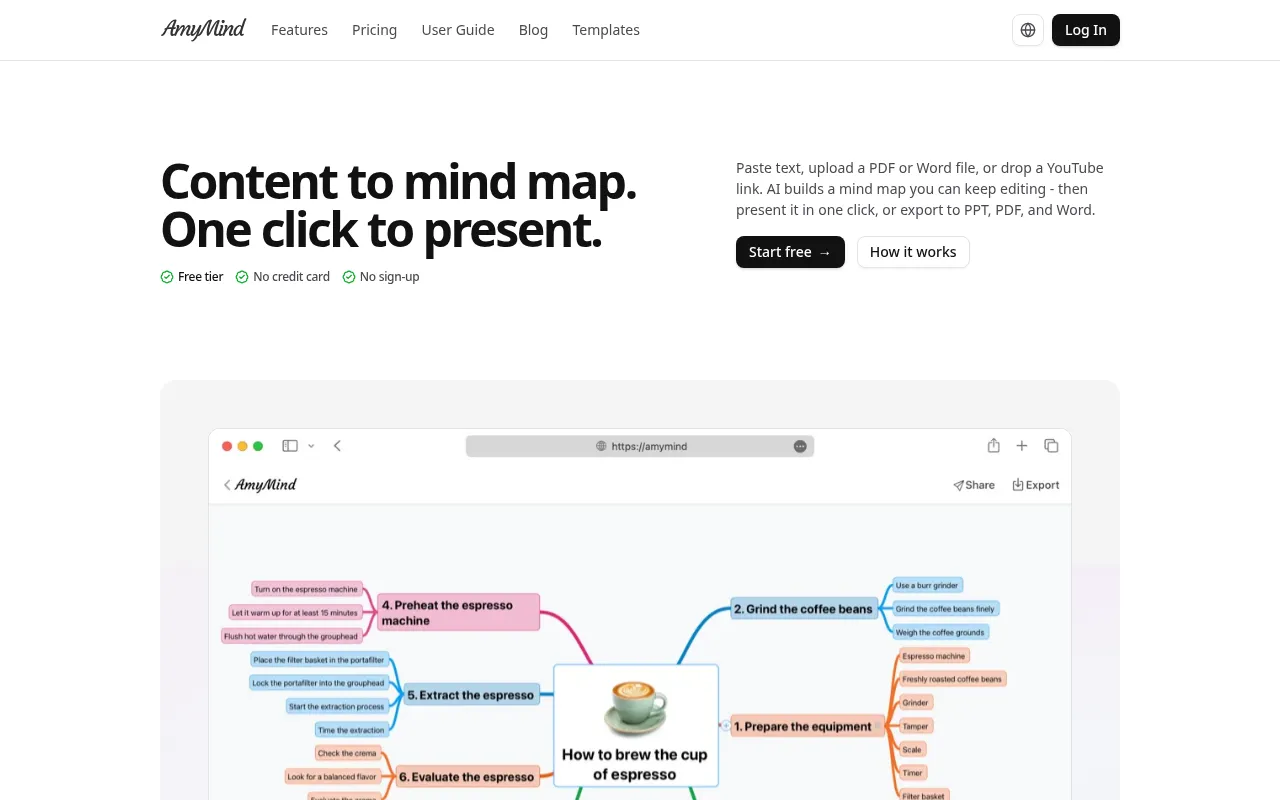
AmyMind is an AI-powered mind map generator designed to transform unstructured information into clear, visual structures instantly.
What is AmyMind?
AmyMind is an AI-powered mind map generator designed to transform unstructured information into clear, visual structures instantly.It supports importing content from text, Markdown, PDFs, Word documents, and even YouTube video links, automatically extracting key points to create hierarchical mind maps that streamline thinking and knowledge organization.
Unlike traditional tools that stop at mapping, AmyMind focuses on the full workflow from source material to presentation.Its unique Pitch Mode allows users to present directly from their mind maps in a full-screen, node-by-node walkthrough without building separate slides.Throughout the process, AI assistance helps refine nodes, expand branches, and answer questions, ensuring the content is both visually appealing and intellectually robust.
Key features
- Multi-Source ImpPaste text, upload PDF/Word/Markdown files, or drop YouTube links; AI automatically extracts content to generate maps.
- AI RefinementInteract with AI after generation to ask questions, expand branches, or explore node details for deeper insights.
- One-Click PresenPitch Mode turns your map into a full-screen walkthrough with structure on the left and current node on the right, navigable via keyboard.
- Multi-Format ExpExport your mind maps to PowerPoint (PPT), PDF, and Word formats for easy sharing and archiving.
- Bilingual SupporNative support for Chinese and English interfaces and content, with the ability to translate entire maps between languages.
- No Sign-Up TrialStart using the free tier instantly without a credit card, ideal for light, occasional use.
How to use it
- 1.Choose Source: Paste text, upload a file (PDF/Word/Markdown), or enter a YouTube video link.
- 2.Generate Map: Click create, and AI will analyze the content to build the initial mind map structure.
- 3.Refine with AI: Use AI features to expand branches, ask questions, or detail specific nodes.
- 4.Enter Pitch Mode: Click Pitch Mode to navigate node-by-node using arrow keys for a smooth presentation.
- 5.Export & Share: After presenting, export the map as a PPT, PDF, or Word file for saving.
Where it fits
- Student Study ReConvert lecture notes or textbook PDFs into mind maps to quickly outline key concepts for better memory and review.
- Professional PreGenerate maps from project docs or meeting notes and use Pitch Mode to present progress and plans directly without building slides.
- Content CreationBloggers and creators use AI to turn inspiration snippets or YouTube reference videos into article outlines or script structures.
- Academic ResearcResearchers import literature PDFs to automatically generate concept maps, helping clarify relationships between complex theories.
Pricing and free quota
Offers a Free tier and Pro plan.The Free tier includes 20 mind maps per month, 5 AI actions per day, and 9.8 MB storage with watermarked exports.The Pro plan is $45/year, offering unlimited maps, 500 AI actions per day, 4.8 GB storage, folder management, and watermark-free exports.Pricing details are subject to the official site.
Who it is for
- Students needing efficient knowledge organization
- Professionals looking to streamline presentations
- Content creators and bloggers
- Researchers conducting literature reviews
FAQ
Do I need an account to use it?
No, you can start instantly without signing up.Creating an account adds cloud sync capabilities.
Is the AI output accurate?
Every node remains editable after generation, and you should verify key facts for research-style content.
Is the free tier enough?
The free tier offers 5 AI actions per day and 20 maps, which covers light usage needs.
Does it support Chinese and English?
Yes, AmyMind natively supports both Chinese and English, and you can translate the entire map between them.