
AI office
Presentations.AI
Turn documents, URLs, or chats into brand-ready, editable PowerPoint decks in mi
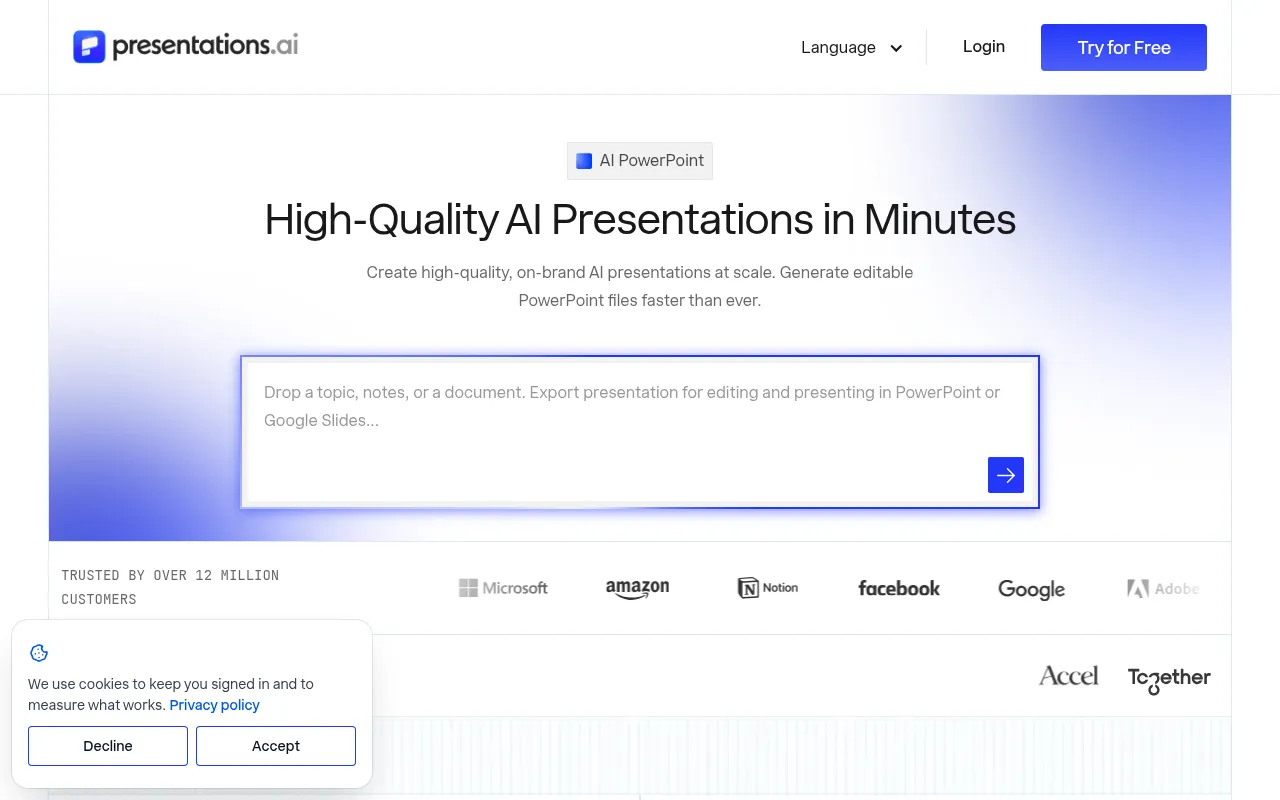
What is Presentations.AI?
Presentations.AI is an AI presentation platform built by a team with two decades of enterprise software experience, designed to help founders, sales teams, and product managers create high-quality, on-brand slide decks in minutes.It transforms prompts, PDFs, Word docs, or URLs into structured narratives and uses proprietary “Brand Sync” technology to automatically apply your logo, fonts, and colors from your website.
The platform exports native, fully editable .pptx files that maintain their structure in PowerPoint or Google Slides.Beyond creation, its “Refresh” feature connects to data sources like Salesforce, HubSpot, and Google Sheets, allowing users to automatically update charts and numbers in monthly reports or sales proposals without manual copy-pasting.
Trusted by over 12 million customers, Presentations.AI is SOC 2 Type II certified and GDPR compliant.Whether for investor pitches, client proposals, or internal updates, it supports scale through API integrations and no-code workflows, enabling teams to generate hundreds of personalized decks from a single source of truth.
Key features
- Multi-Source GenCreate full decks directly from text, PDFs, Word docs, Excel files, Google Docs, or URLs without prior formatting.
- Smart Brand SyncPaste your website URL to automatically extract logos, fonts, and color schemes, ensuring every slide matches your brand identity.
- Native PPT ExporDownload fully editable .pptx files that retain their layout and structure when opened in PowerPoint or Google Slides.
- Auto-Data RefresConnect to 50+ data sources like Salesforce, HubSpot, and Snowflake to automatically update charts and numbers as your data changes.
- Scenario TemplatAccess a library of 1000+ full-deck templates and single-slide layouts tailored for pitches, sales, board meetings, and more.
- Scale PersonalizGenerate hundreds of personalized decks from a single source, each customized with specific client names, logos, and relevant metrics.
How to use it
- Sign up and choose your entry point: Use the AI Presentation Maker for full decks or the AI Slide Creator for slide-by-slide control.
- Input your content source: Paste a prompt, upload documents (PDF/Word/Excel), or enter a relevant URL.
- Apply brand styling: Paste your company website URL to automatically sync logos, fonts, and color palettes.
- Refine and optimize: Review the AI-generated structure and content, using drag-and-drop tools to adjust layouts or replace assets.
- Export or integrate: Download the editable .pptx file or connect via API/Zapier to automate deck generation in your workflow.
Where it fits
- Investor PitchinRapidly generate standard pitch decks covering problem, solution, market, and financials, with easy updates for the latest traction data.
- Sales ProposalsInstantly create personalized proposals for each prospect, auto-filling current pricing, case studies, and industry-specific pain points.
- Quarterly BusineConnect to CRM or analytics tools to automatically generate QBR decks with up-to-date performance charts and metrics.
- Product LaunchesTransform fast-moving product roadmaps into visual launch slides, syncing project data to keep timelines accurate.
Pricing and free quota
Offers a free Starter plan with 200 credits and access to basic AI models; the Pro plan is $20/month when billed annually.Prices may vary by region based on purchasing power parity.Please refer to the official website for exact details.
Who it is for
- Startup Founders
- Sales & Customer Success Teams
- Product Managers & Marketers
- Corporate Employees with Regular Reporting Needs
- Freelancers & Consultants
FAQ
Are the generated PowerPoint files editable?
Yes.Presentations.AI exports native .pptx files where all text, images, and shapes are fully editable in PowerPoint or Google Slides.
How do I ensure the decks match my brand?
Use the “Brand Sync” feature by pasting your website URL.The system automatically extracts your logo, fonts, and colors to apply them to all slides.
Which data sources are supported for auto-updates?
It supports 50+ platforms including Salesforce, HubSpot, Google Sheets, Tableau, Looker, Snowflake, MySQL, and more.
Is my data secure?
Yes.Presentations.AI is SOC 2 Type II certified and GDPR compliant, offering enterprise-grade security and flexible data controls.