
AI office
必应翻译
Bing Translator is a free online translation service provided by Microsoft, designed to help users overcome language barriers.
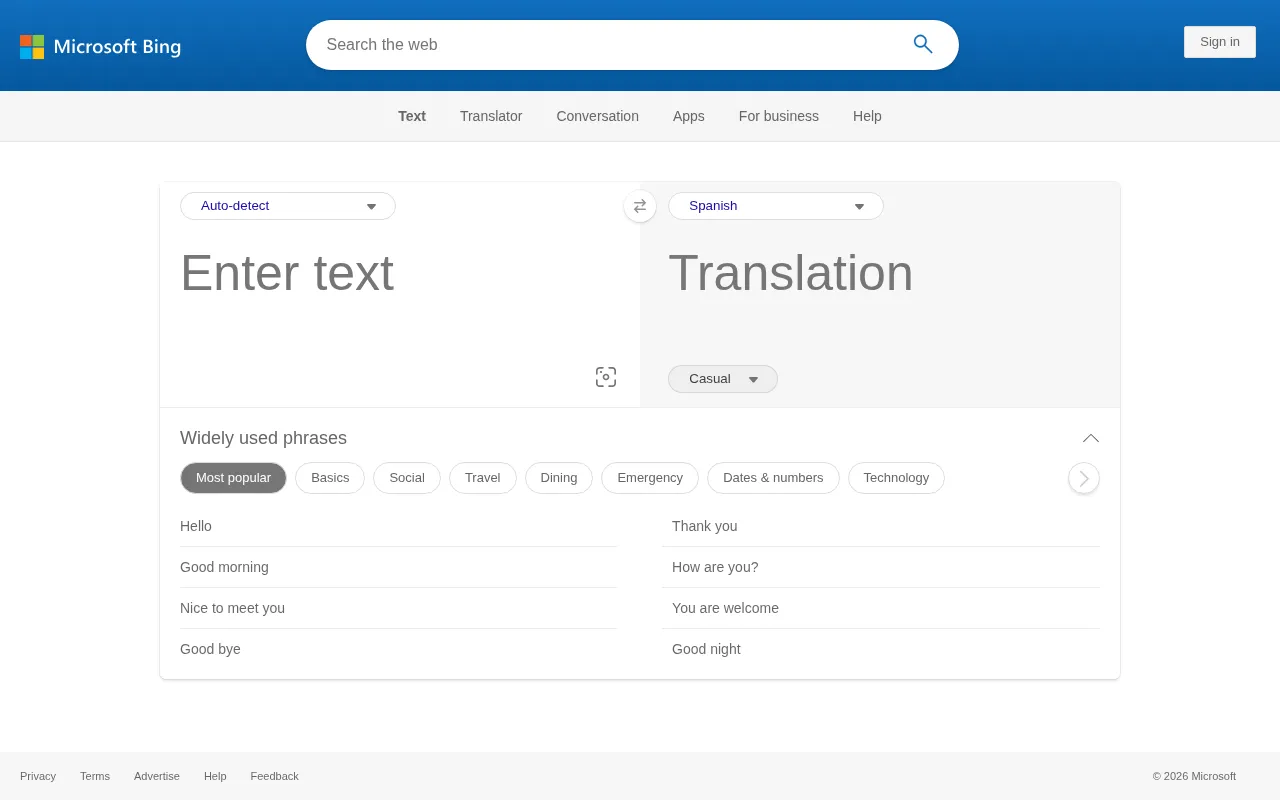
What is 必应翻译?
Bing Translator is a free online translation service provided by Microsoft, designed to help users overcome language barriers.The tool supports mutual translation for over 100 languages, including major languages like Chinese (Simplified and Traditional), English, Japanese, Korean, French, and Spanish, as well as many minority languages and dialects.Millions of users rely on Bing Translator daily for accurate results.
Beyond basic text translation, Bing Translator offers a variety of practical features.Users can input up to 5,000 characters for instant translation and use the 'Listen' function to hear pronunciation.Additionally, the tool supports conversation mode, image capture translation, and tone adjustments for different contexts (Standard, Informal, Formal), meeting diverse needs from daily communication to business interactions.
Key features
- Extensive LanguaSupports over 100 languages, covering major global languages and various regional dialects such as Cantonese and Klingon.
- High-Volume TextAllows translation of up to 5,000 characters at once, suitable for processing longer paragraphs or document snippets.
- Image TranslatioBuilt-in image capture feature allows users to take photos or upload images for text recognition and translation.
- Text-to-SpeechProvides voice playback for both source and translated text, helping users with pronunciation and context understanding.
- Tone AdjustmentSupports Standard, Informal, and Formal tone modes to make translation results fit specific usage scenarios better.
- Conversation ModA bilingual interface designed for face-to-face communication, facilitating real-time cross-language interaction.
How to use it
- Visit the official Bing Translator website at https://www.bing.com/translator.
- Enter the text you want to translate in the left input box, or click the camera icon to upload/capture an image.
- Select the source and target languages; the system will auto-detect or allow manual selection.
- View the translation result on the right side and click the speaker icon to hear the pronunciation.
- Switch tone modes (Standard, Informal, Formal) as needed to optimize the translation style.
- Click the copy button to save the translation, or continue using Conversation Mode for real-time interaction.
Where it fits
- International TrUse image translation for menus or conversation mode to communicate with locals while traveling abroad.
- Language LearninStudents use text-to-speech and multi-language support to practice pronunciation and understand foreign materials.
- Business CommuniProfessionals use the Formal tone mode to translate emails or documents, ensuring professional and appropriate expression.
Pricing and free quota
Pricing and any free quota follow the official site.
Who it is for
- International Travelers
- Language Learners
- Foreign Trade Professionals
- Content Creators
FAQ
How many languages does Bing Translator support?
Bing Translator supports over 100 languages, including major ones like Chinese, English, Japanese, Korean, French, and Spanish, as well as many minority languages.
Can I translate text from images?
Yes, Bing Translator provides an image capture feature that allows users to take photos or upload images to recognize and translate the text within them.
Is there a character limit for translation?
Yes, the web version typically limits single translations to 5,000 characters.