
AI office
TinyWow
TinyWow is a versatile online tool platform designed to simplify daily digital tasks with free and accessible solutions.
What is TinyWow?
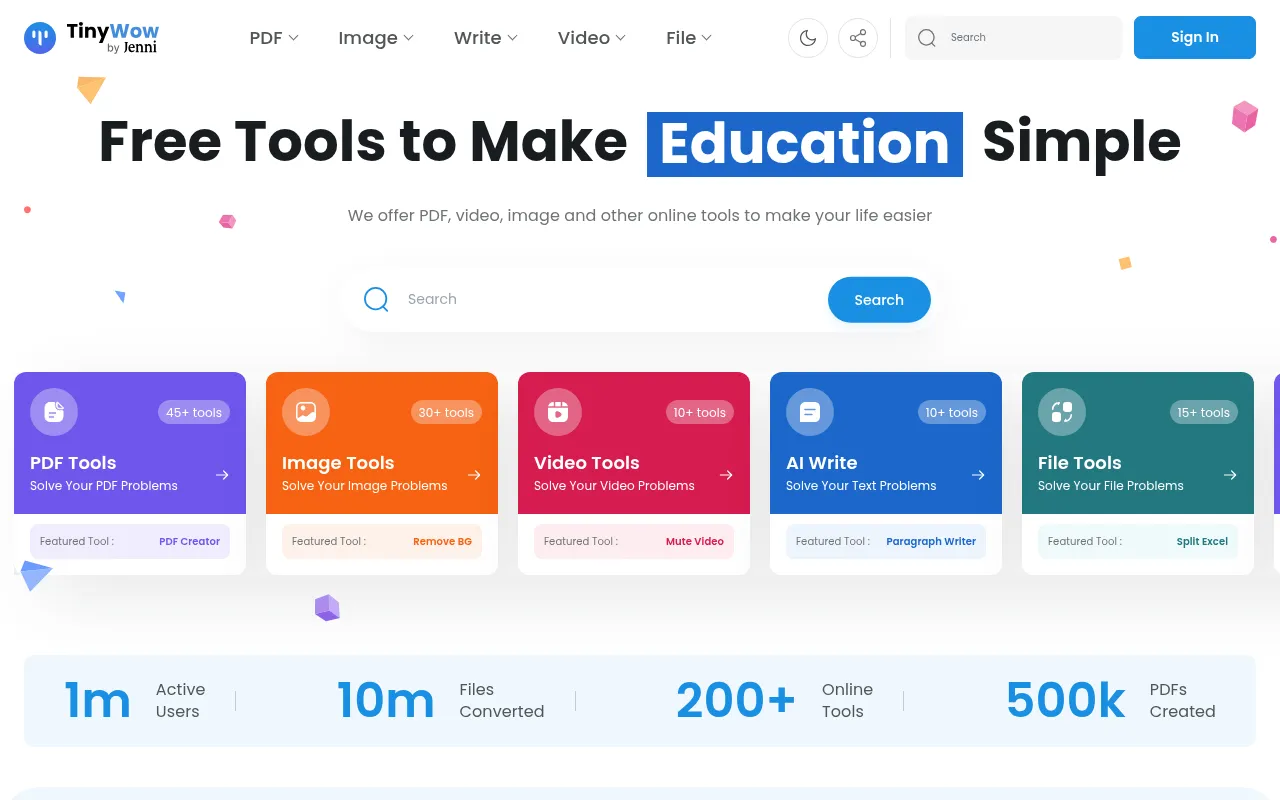
TinyWow is a versatile online tool platform designed to simplify daily digital tasks with free and accessible solutions.It brings together utilities for PDF editing, image processing, AI writing assistance, and video or file conversion, enabling users to work efficiently without installing complex software.
Whether you need to merge PDF files, remove image backgrounds, or use AI to generate article outlines and social media captions, TinyWow offers an intuitive interface and fast processing capabilities.Its core advantage lies in being completely free and requiring no user registration, making file handling in various office and study scenarios effortless.
Key features
- Comprehensive PDOffers a full suite of PDF functionalities including editing, merging, splitting, compressing, converting to Word/JPG, text extraction, and e-signing.
- Smart Image ProcSupports AI background removal, photo restoration, watermark removal, resolution enhancement, HEIC to JPG conversion, and various editing operations.
- AI Writing AssisIncludes AI-powered tools for paragraph writing, sentence rewriting, article generation, FAQ creation, and social media headline optimization.
- Video & Audio CoEnables video compression, format conversion (e.g., MP4 to MP3, MOV to MP4), video trimming, and audio extraction from video files.
- File Format ConvSupports mutual conversion between Excel, CSV, XML, and JSON, as well as converting spreadsheet files to PDF format.
- Free Without SigAll tools are freely accessible to users without the need to create an account or subscribe to use the features.
How to use it
- Visit the TinyWow website and select the specific tool under categories like PDF, Image, Write, Video, or File based on your needs.
- Upload the file you wish to process, or enter relevant prompts or topics for AI writing tools.
- Adjust settings as prompted by the tool, such as selecting output formats, crop ranges, or content styles.
- Click the process button, wait for the system to complete the operation, and download the result file once finished.
Where it fits
- Office DocumentQuickly merge multiple contract PDFs, convert scanned documents to editable Word files, or extract text from images.
- Social Media ConUse AI tools to generate Instagram captions, LinkedIn post ideas, or blog outlines to improve content publishing efficiency.
- Multimedia AssetRemove backgrounds for e-commerce product images, compress video file sizes for uploading, or convert video clips to GIFs.
Pricing and free quota
Pricing and any free quota follow the official site.
Who it is for
- Office workers needing efficient document processing
- Social media managers and content creators
- Students and educators
- E-commerce sellers and designers
FAQ
Do I need to register an account to use TinyWow?
No, most TinyWow tools can be used directly online without registration or login.
What file formats does TinyWow support for conversion?
It supports conversion and processing of various common formats including PDF, Word, JPG, PNG, MP4, MP3, Excel, CSV, XML, and JSON.
What types of content can the AI writing tools generate?
They can generate paragraphs, articles, blog outlines, social media headlines, FAQ answers, and business descriptions.